US · USD
United States
US stores typically show a fixed price on the tag and add state sales tax at checkout; a coded cost on the tag is common for staff negotiating.
Jewelry POS in United StatesJ-09 · Protect · Barcode & price tags
Jewelry tag printing software turns each product record into a small barcode tag that fits a ring shank or chain. GetJewelryPOS prints barcode and price tags on label printers, including narrow barbell tags, with layouts you design to show the serial, price, weight, karat or stone details. Scan the tag at the counter and the exact piece comes up.

Many gold stores leave the price off and print weight + karat, because the price follows the day’s rate.
Definition
A barbell tag, also called a dumbbell tag, is a narrow jewelry label with two printable ends joined by a thin tail that loops through a ring or chain and sticks to itself. One end usually carries the barcode and serial, the other the price or weight, so it stays readable on small pieces.
J-09 · At the counter and the bench
Pick the label size your printer uses, such as narrow barbell tags for rings or larger labels for boxes and trays. Load the labels the right way round and run a test print.
Place the barcode, serial, price, weight, karat or stone details where you want them. Save separate layouts for gold, diamonds and fashion pieces. Preview the layout before printing.
Select the items, from a new purchase, an import or a search, and print their tags in one batch. Tags print in the order the items are listed, so they match the parcel you are unpacking.
Scanning the tag brings up the exact item, with its price and certificate details, ready to add to the sale. If a tag will not scan, search the serial by hand and reprint it.
Specification
Print on narrow jewelry tags that loop around a ring or chain. Layouts are sized for the small print area each end gives you. Keep the barcode on one end and the price or weight on the other.
Decide what each tag shows: barcode, serial, SKU, price, weight, karat, stone details or store name. Keep codes on tags if you hide cost. Each layout can be named and reused.
Print tags for a whole delivery at once after receiving stock, or reprint a single tag when a piece is repriced. Printing from a purchase uses the quantities received, so every piece gets exactly one tag.
The barcode carries the item's number, so scanning finds that exact piece rather than a generic product. Compact codes scan well when the layout gives them enough width, which is why testing your tag size first matters.
For gold priced by weight, print the weight and karat instead of a fixed price, so the tag stays valid when the rate changes. Fixed-price pieces can use a different layout with the price shown.
Use thermal label printers you may already own. Check the hardware guide for the printers and label sizes stores use most. Barcode scanners that act as a keyboard work at the counter without extra setup.
By market
Same software, local habits. Pick a market to read the note for it.
US · USD
US stores typically show a fixed price on the tag and add state sales tax at checkout; a coded cost on the tag is common for staff negotiating.
Jewelry POS in United StatesAE · AED
UAE gold shops often tag weight and karat and price at the day's rate; where a price is printed, show it VAT-inclusive, and include an Arabic line if your customers expect it.
Jewelry POS in UAEPK · PKR
Pakistani counters usually tag weight in tola or grams and karat, then price at the daily sarafa rate; printing the weight avoids retagging whenever the rate moves.
Jewelry POS in PakistanWe do not sell printers or label stock, and print quality depends on your printer, its driver and the labels you buy. Very small tags fit only short text and compact barcodes, so test a layout before printing a full delivery. RFID tags are not supported. Printing a price on a weight-priced piece means reprinting when your rate changes.
Under the loupe
Yes. Set up a layout for barbell tags and print them on a compatible label printer.
Barcode, serial, SKU, price, weight, karat, stone details and store name. You choose per layout.
Common thermal label printers work. See the hardware guide for the printers and label sizes stores use most.
Yes. Weight-priced gold can be tagged with weight and karat so the tag does not change with the rate.
Yes. Find the item and print its tag again, for example after a repricing or a damaged label.
No. Use a printer you own or buy one from your usual supplier. The hardware guide lists what to look for.
Yes. Add a coded field to the layout if your staff use cost codes to negotiate. Real cost stays hidden by permissions.
No. Tags are printed barcode labels. RFID readers and tags are not part of GetJewelryPOS.
Yes, if their barcodes or numbers match the serials you import. Many stores only retag pieces with missing or unreadable labels.
 J-01Serialised items & certificatesGive every piece its own serial and keep its certificate details linked to the sale and the customer.
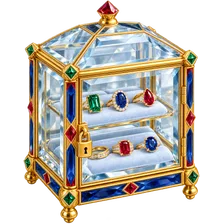 J-05High-value inventory controlsPermissions, tray locations, counts and an audit trail so shrink shows up on the day it happens.
 J-04Gold pricing by weightPrice gold by weight, karat, your daily rate, making charge and stones, in grams or tola.
14 days free · no card needed · cancel any time
Start a free trial and import a few pieces, or book a demo and we’ll set it up with you.
Recent searches
Popular
Nothing in this parcel.
No page matched “”. Try a shorter word, or one of these: