US · USD
United States
US owners with stores in different states can set each location's tax rate separately, since sales tax differs by state and city. The Souk plan is $229 a month, with extra shops at $59 each.
Jewelry POS in United StatesJ-10 · Grow · Shops & transfers
A multi-store jewelry POS lets one owner run several shops from one system, with each piece's location always known. In GetJewelryPOS every shop has its own stock, prices and staff access, transfers move pieces between shops with a record of what left and what arrived, and central reports show sales, stock and registers across all locations.

| Item | Serial | Weight |
|---|---|---|
| 22K bangle pair | GJP-22K-00877 | 23.328 g |
| 18K pendant | GJP-18K-00412 | 4.2 g |
Definition
A stock transfer moves specific pieces from one shop to another while keeping both stock records correct. For jewelry it should list each serial sent, who sent it, when, and who received it. Without that record, a piece in transit is easy to lose between two counters that each think the other has it.
J-10 · At the counter and the bench
Create each location with its own registers, invoice layout, tax settings and staff. Users can be limited to the shops they work in. Each shop keeps its own address on receipts.
Stock is held per location, and prices can differ by shop. A mall store and a bazaar store can price the same design differently. Change a price in one shop without touching the others.
Create a transfer listing the serials leaving one shop for another. Print it to travel with the parcel, and the receiving shop confirms what arrived.
Owners see sales, stock, tax and register reports for one shop or all of them, without visiting each counter. Filter any report by shop, date or user to see where sales and stock differences come from.
Specification
Each shop has its own stock levels and tray locations. You know whether a piece is in the mall store, the souk store or in transit. Counts are done shop by shop.
Transfers list every piece moved, with sender, receiver and date. The parcel's paperwork matches the record on screen. The record shows which pieces have left and which were received, so neither shop counts them as missing.
Use different prices or price groups per location where your market needs it, while keeping one product catalogue. The catalogue stays shared, so each design is set up once and priced where it is sold.
Limit users to their own locations. Managers can see several shops; counter staff see only the one they work in. Moving a staff member to another shop is a settings change, not a new account.
Sales, stock, profit, tax and register reports can be filtered by shop or combined, so month-end is one set of numbers. Combined reports save copying figures from each shop into a spreadsheet at month end.
Each shop can have its own invoice layout, address and receipt language, which suits groups with shops in different areas. Tax rates can also be set per location, which matters when shops sit in different jurisdictions.
By market
Same software, local habits. Pick a market to read the note for it.
US · USD
US owners with stores in different states can set each location's tax rate separately, since sales tax differs by state and city. The Souk plan is $229 a month, with extra shops at $59 each.
Jewelry POS in United StatesAE · AED
Groups with shops in the Dubai Gold Souk, malls and Sharjah can move pieces for a customer who saw them on WhatsApp; prices stay VAT-inclusive at every location. The Souk plan is AED 829 a month.
Jewelry POS in UAEPK · PKR
Families running shops in different sarafa bazaars can share one catalogue and transfer pieces between cities, with Urdu receipts per shop. The Souk plan is Rs 22,000 a month.
Jewelry POS in PakistanTransfers record movement; they do not arrange couriers, insurance or security for pieces in transit. Each shop needs its own internet connection for live stock. Tax settings per location are yours to set correctly. The Souk plan covers a set number of shops, with extra locations at an added monthly price; check the pricing page for your country.
Under the loupe
The Souk plan covers several shops, and you can add more locations for an extra monthly price per shop. See the pricing page for your country.
Create a transfer listing the pieces leaving one shop. The receiving shop confirms arrival, and both stock records update.
Yes. Set prices or price groups per location while keeping one shared product catalogue.
Yes. User access is set per location, so staff only see and sell from the shops they are assigned to.
Yes. Sales, stock, profit, tax and register reports can show one shop or all shops together.
Yes. Each location can have its own invoice layout, address details and receipt language.
No. It records what was sent and received. Transport, insurance and security for the parcel are yours to arrange.
Yes. Sell the piece and transfer it to the collecting shop. The transfer record shows where it is.
That shop cannot update live stock until it is back online. Keep a backup connection such as a mobile hotspot for each counter.
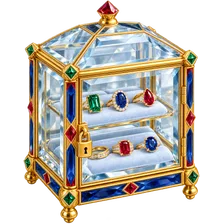 J-05High-value inventory controlsPermissions, tray locations, counts and an audit trail so shrink shows up on the day it happens.
 J-01Serialised items & certificatesGive every piece its own serial and keep its certificate details linked to the sale and the customer.
 J-08Customers & occasionsPurchase history, ring sizes, occasions and reward points on every customer record.
14 days free · no card needed · cancel any time
Start a free trial and import a few pieces, or book a demo and we’ll set it up with you.
Recent searches
Popular
Nothing in this parcel.
No page matched “”. Try a shorter word, or one of these: